Agentic project context for software teams
Nexis Code turns client context into shipped software.
Discuss the project, define scope, create tasks, and let AI agents build with full project context. When the code changes, agents update the project record too: communication logs, scope, change requests, and tasks stay traceable.
How Nexis Code works
A project memory loop for software teams.
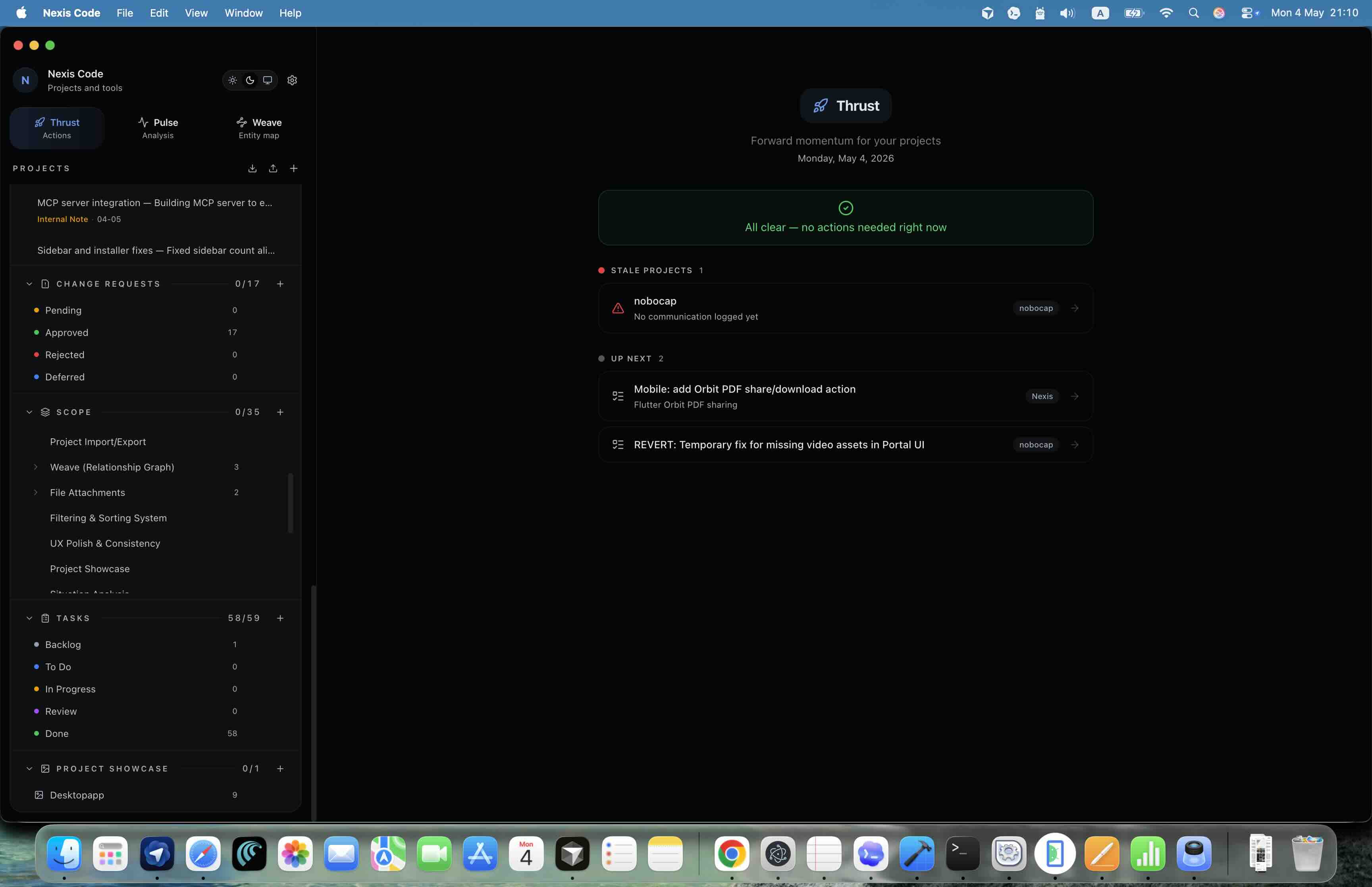
The important shift is what happens after code is written. Agents are not working from an empty prompt: they know the scope, task, change history, and client decisions, then keep that data current as they develop.
Discuss with the client
Capture the meeting, decisions, open questions, and why the work exists.
Define scope
Turn the agreement into modules, features, tiers, cost, and time impact.
Create tasks
Break scope into linked implementation work with source context attached.
Run agents
Agents develop tasks with full project context: scope, history, files, and decisions.
Update the record
Agents update logs, scope, change requests, and tasks so the timeline stays true.
Why it matters
Most coding tools stop at generated code. Nexis Code closes the loop: agents build with the full project context, then update the structured records that teams normally maintain manually with incomplete memory.
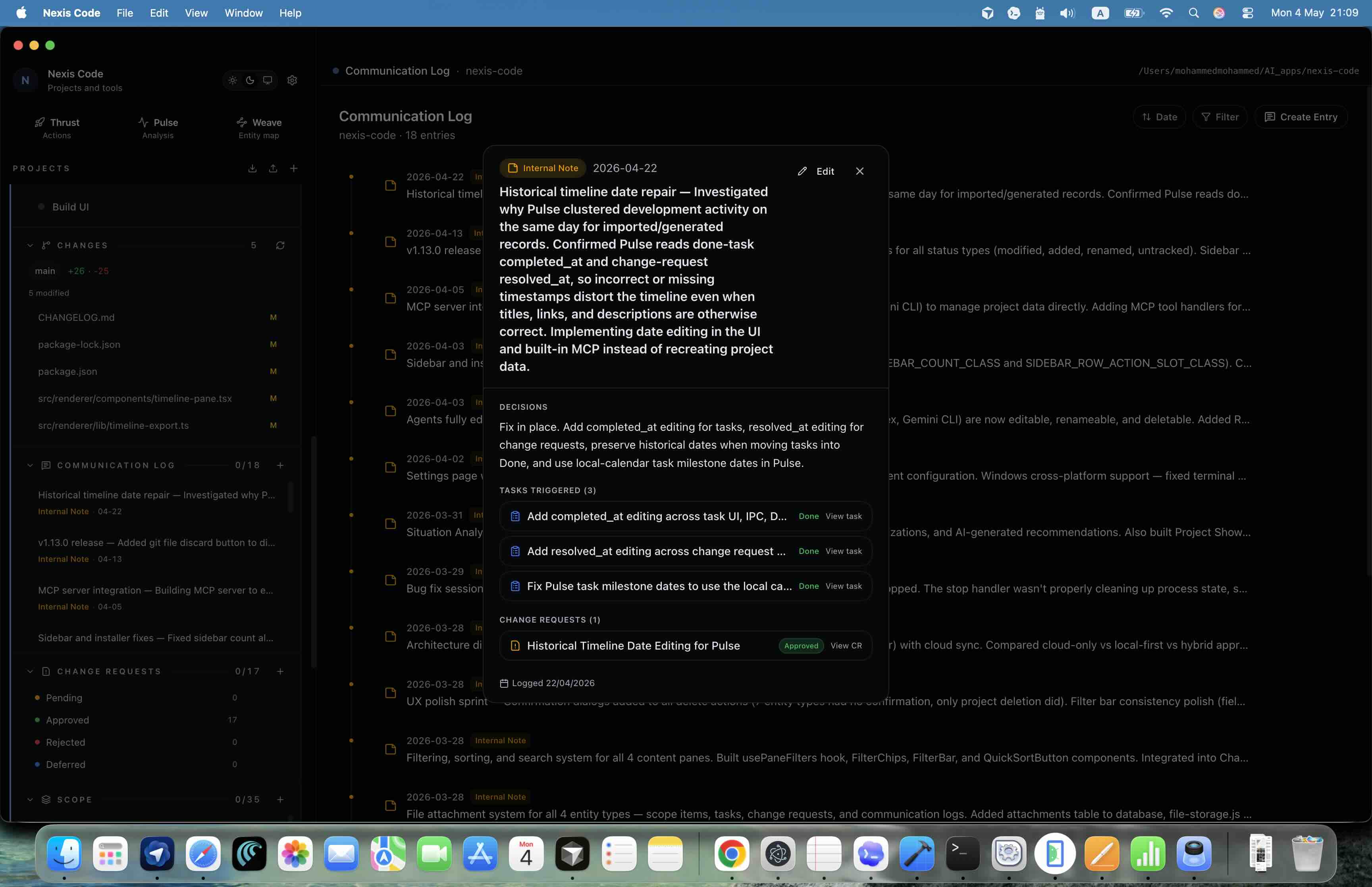
Structured communication
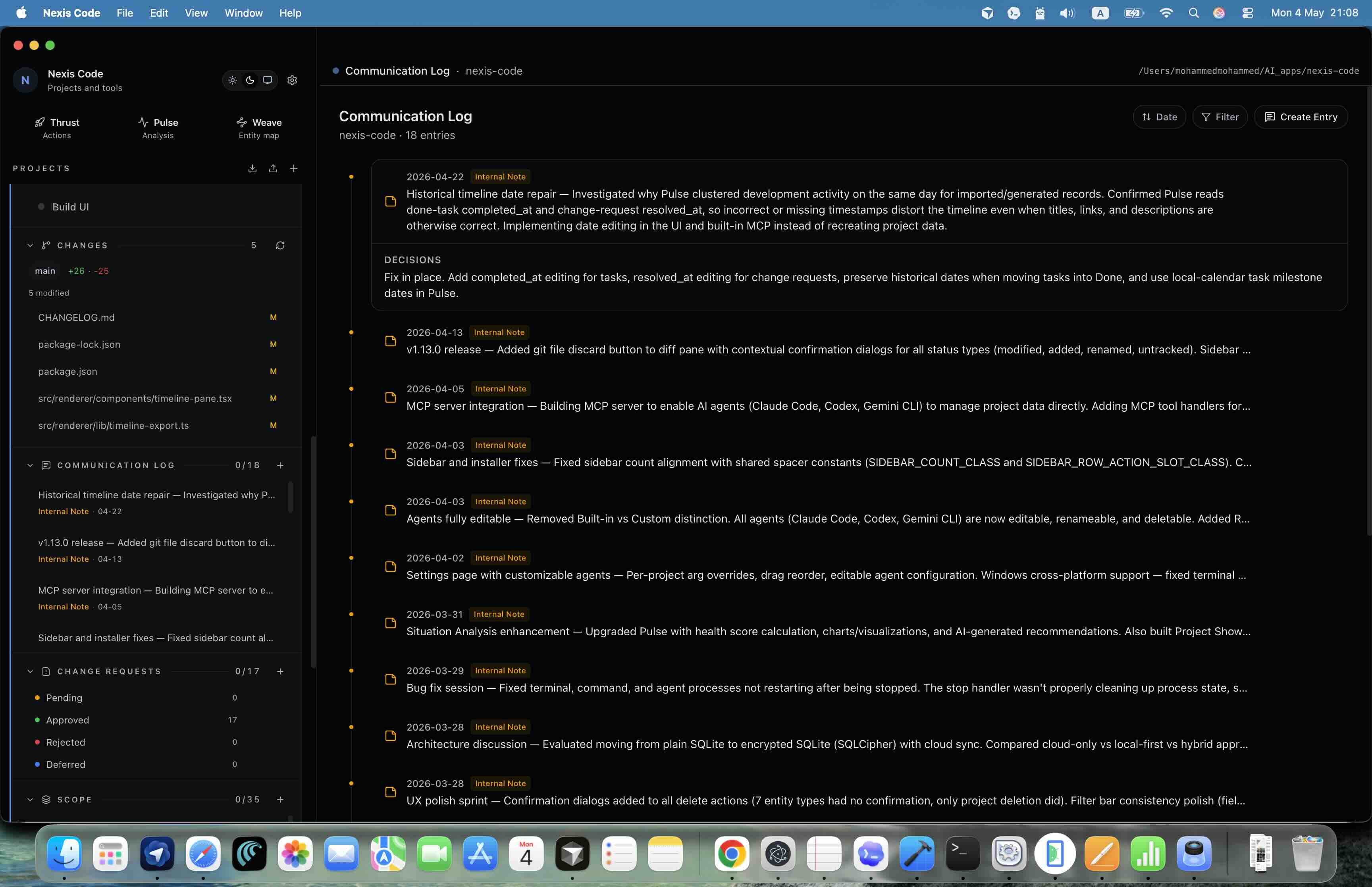
Stop losing decisions between meetings and code.
Nexis Code records client conversations as structured project data, so decisions can trigger tasks, explain change requests, and stay available to agents when they implement the work.
- Meeting, phone, email, message, and internal-note entries
- Decisions, summaries, dates, and attendees in one project timeline
- Reverse links to the tasks, scope, and change requests each conversation created
Scope engine
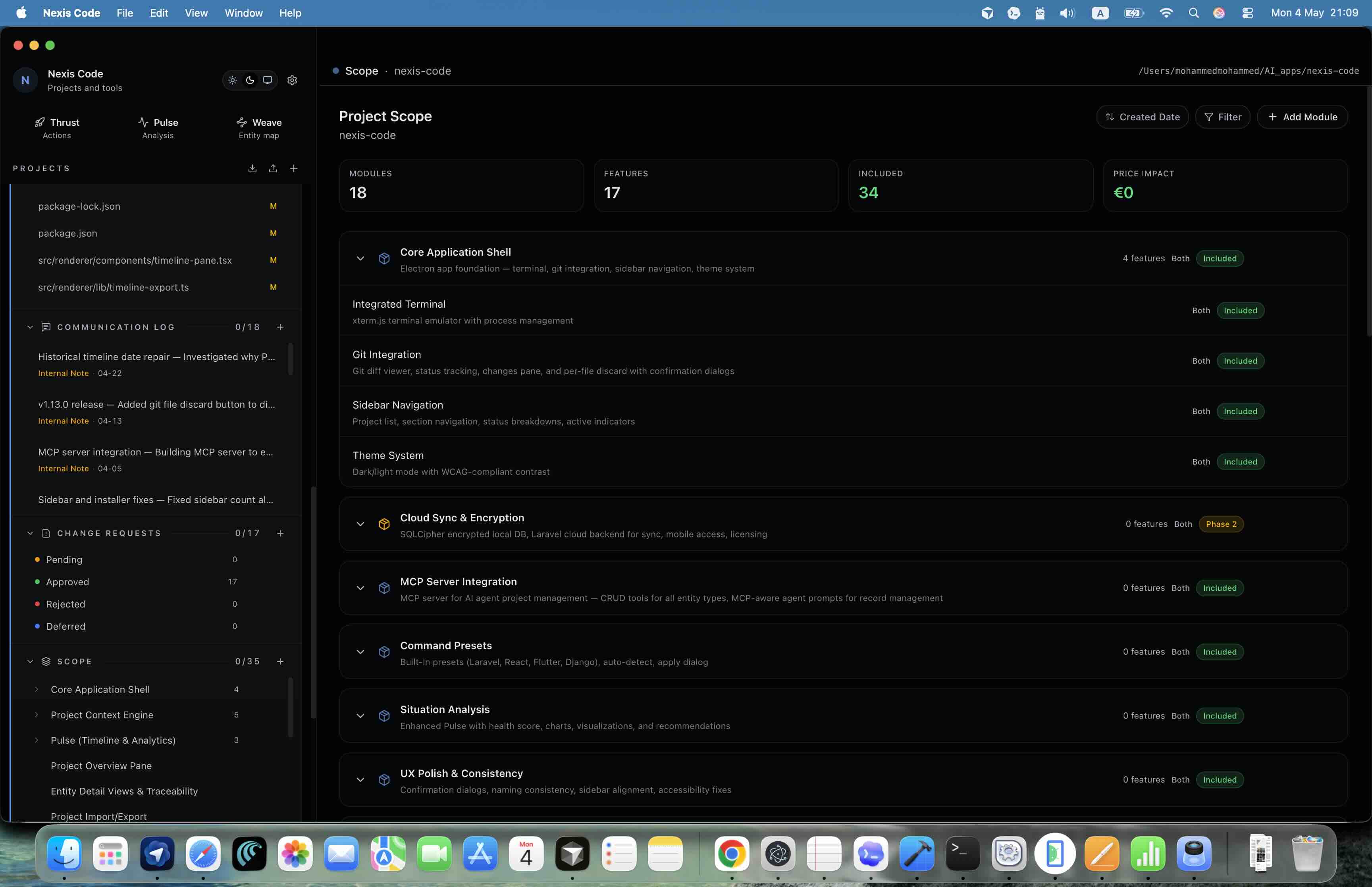
Make requirements concrete before work starts.
Scope is organized as modules and features with inclusion status, tier, cost, and time impact. It is not a separate document. It is the source of truth that feeds the board and guides agents while they code.
- Hierarchical module and feature structure
- Included, optional, excluded, and phase-two status tracking
- Direct links from scope items to active implementation tasks
Task execution
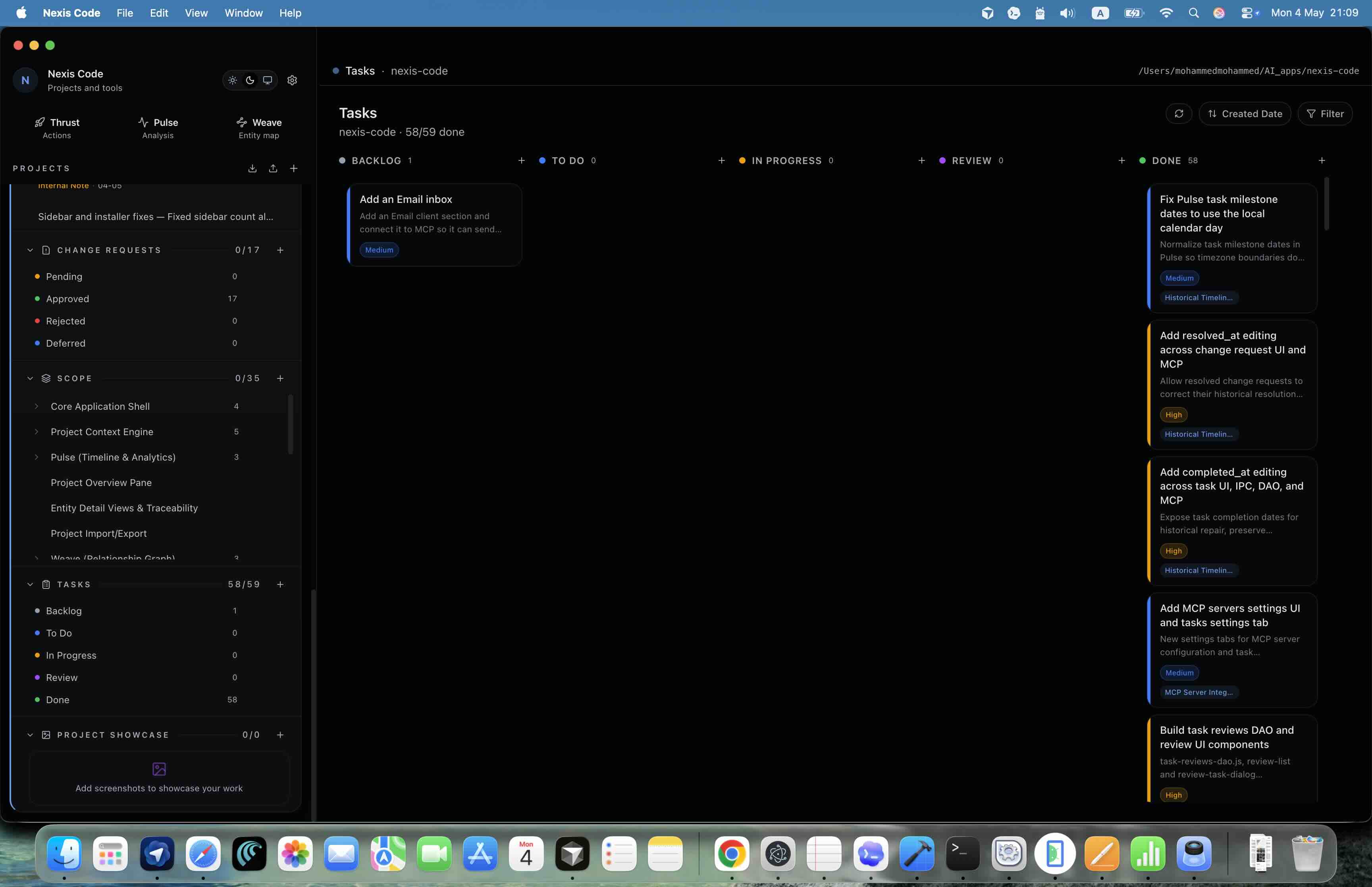
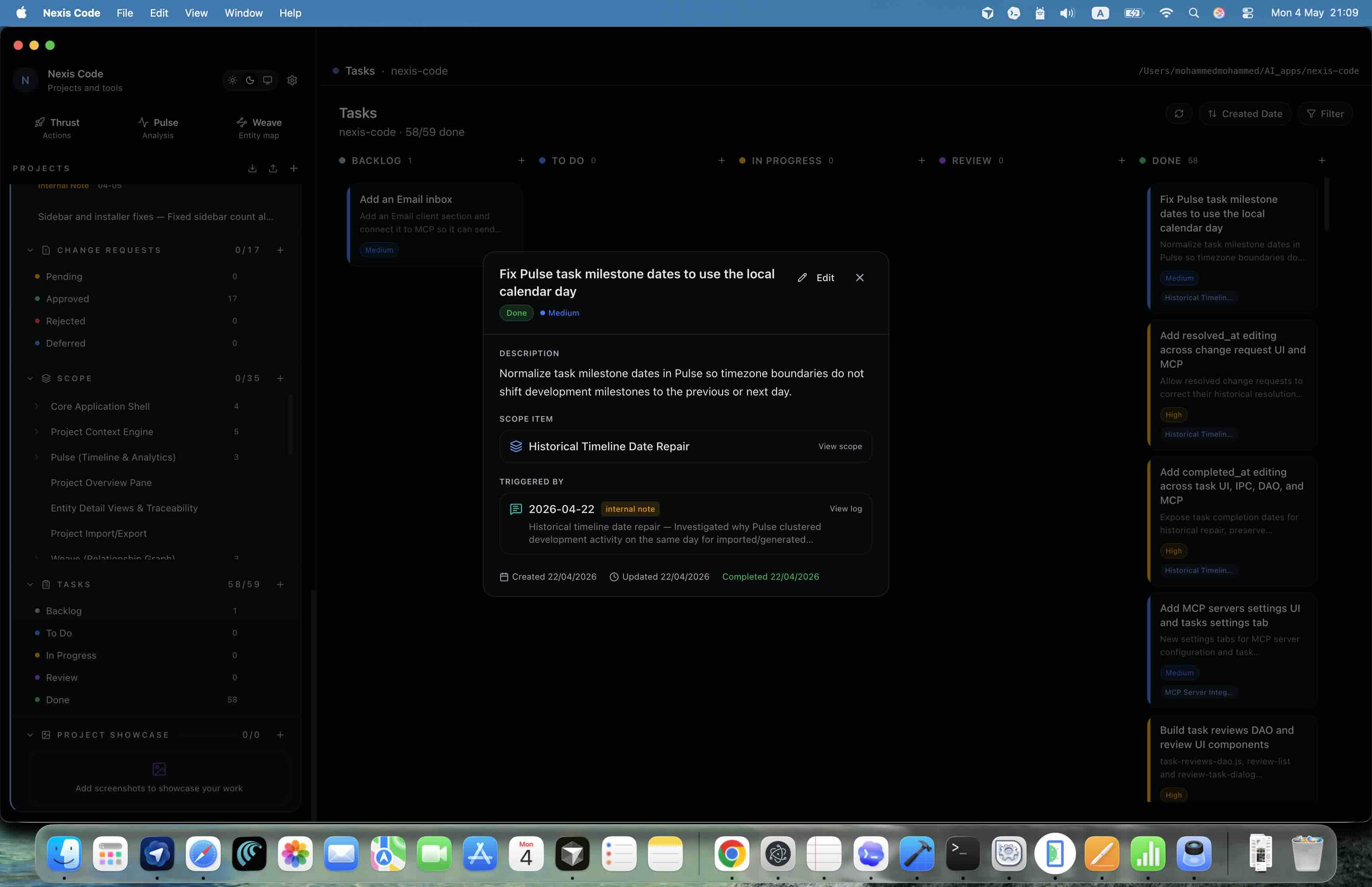
Run a practical board without breaking traceability.
The kanban board gives each project a clear execution lane, while every task can still point back to the scope item and communication log that created it. Agents can pick up a task with that context already in place.
- Backlog, To Do, In Progress, Review, and Done columns
- Priority colors and linked task details
- Scope, decisions, and change history visible from each task
Change requests
Show exactly how scope changed and what it affected.
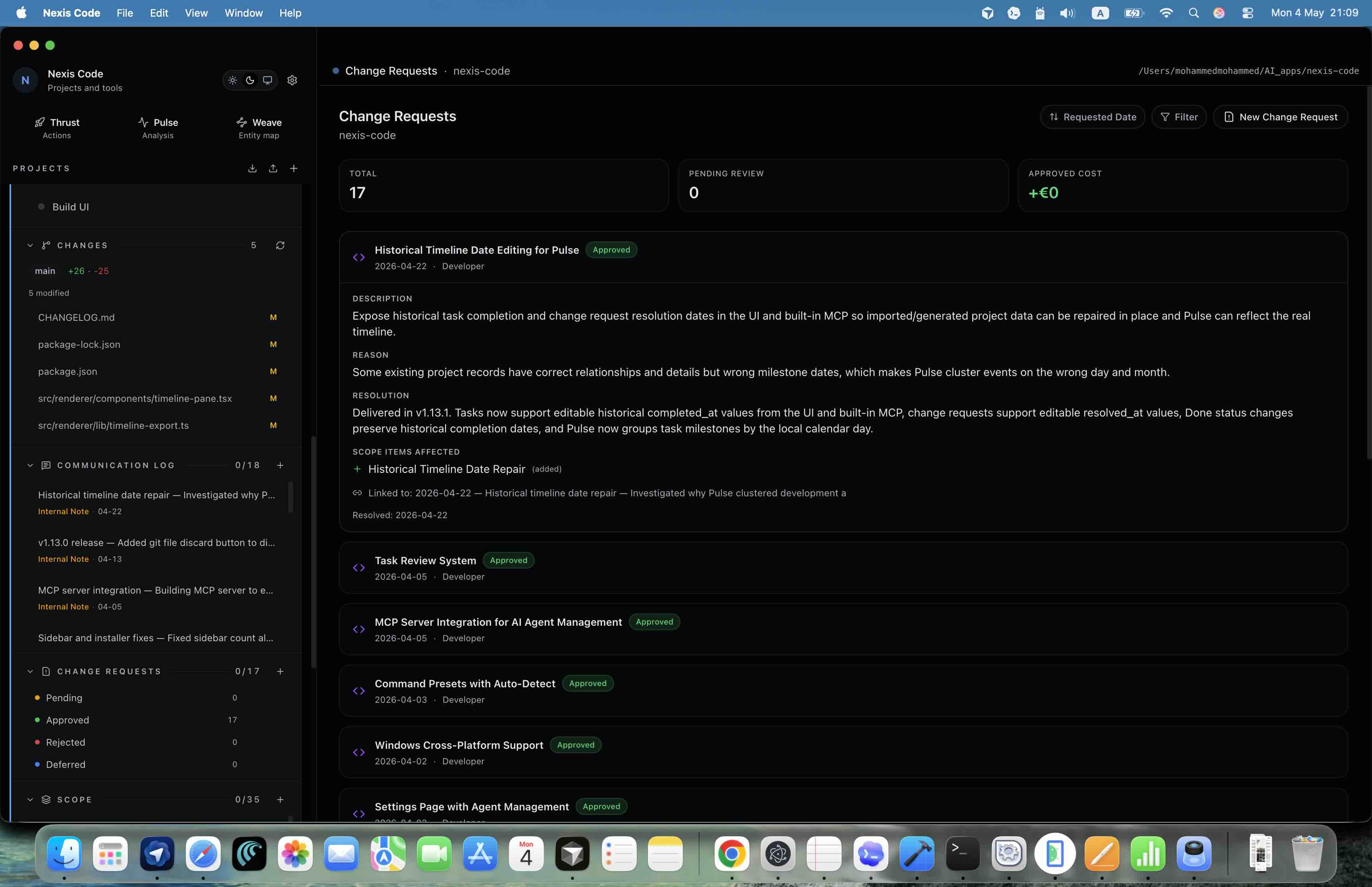
Change requests are tracked with approval state, affected features, reasons, resolution notes, and source communication, so budget and schedule conversations stay grounded in facts.
- Pending, approved, rejected, and deferred workflow
- Cost and time impact tied to affected scope items
- Approval history attached to the project timeline
Pulse timeline
Generate the report clients actually need.
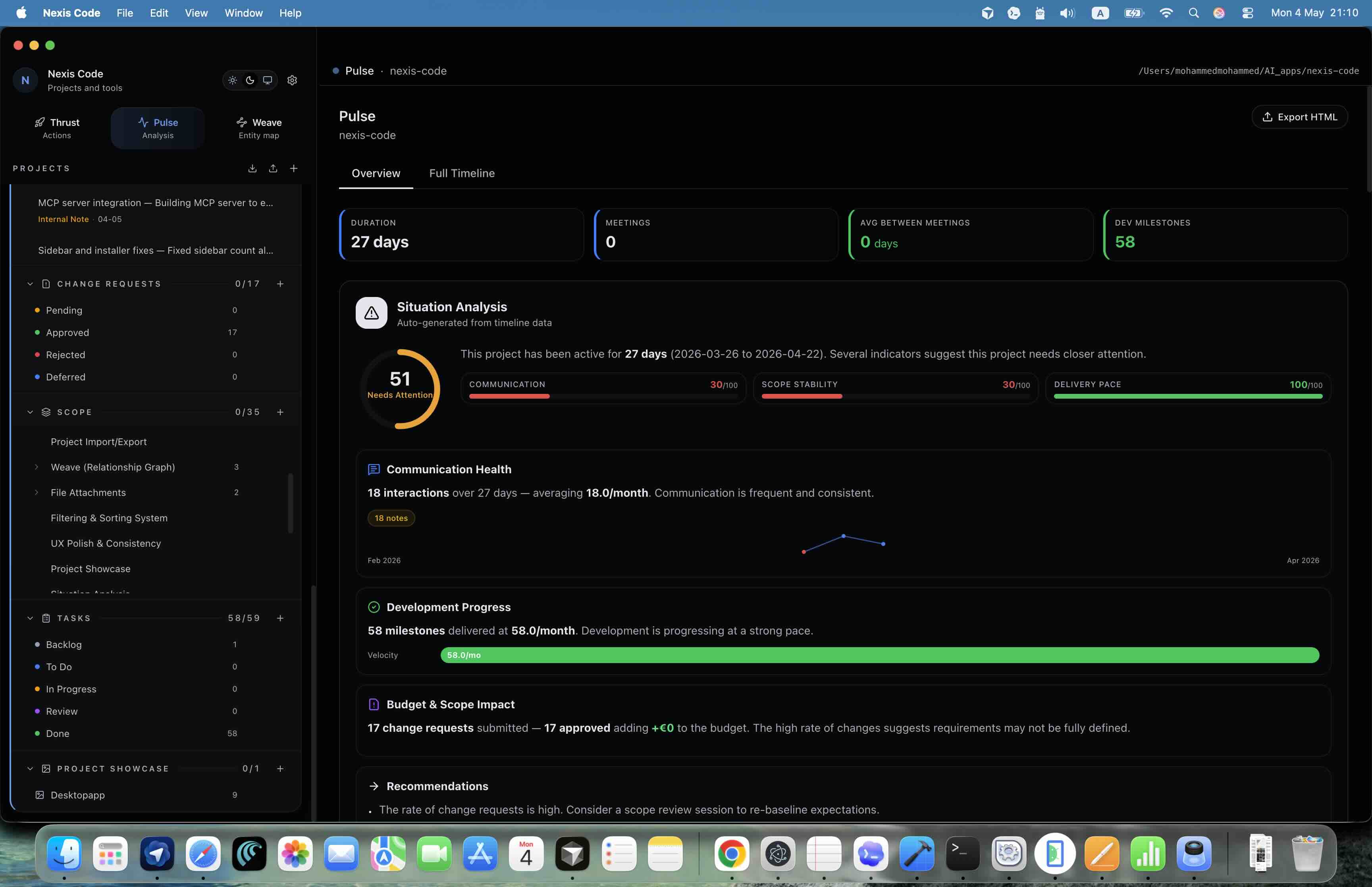
Pulse turns structured project history into an analysis view that explains meeting pace, development progress, scope drift, and the cause of delivery movement.
- Situation analysis generated from real project events
- Monthly activity, meeting gaps, and development milestones
- HTML export for sharing a polished timeline outside the app
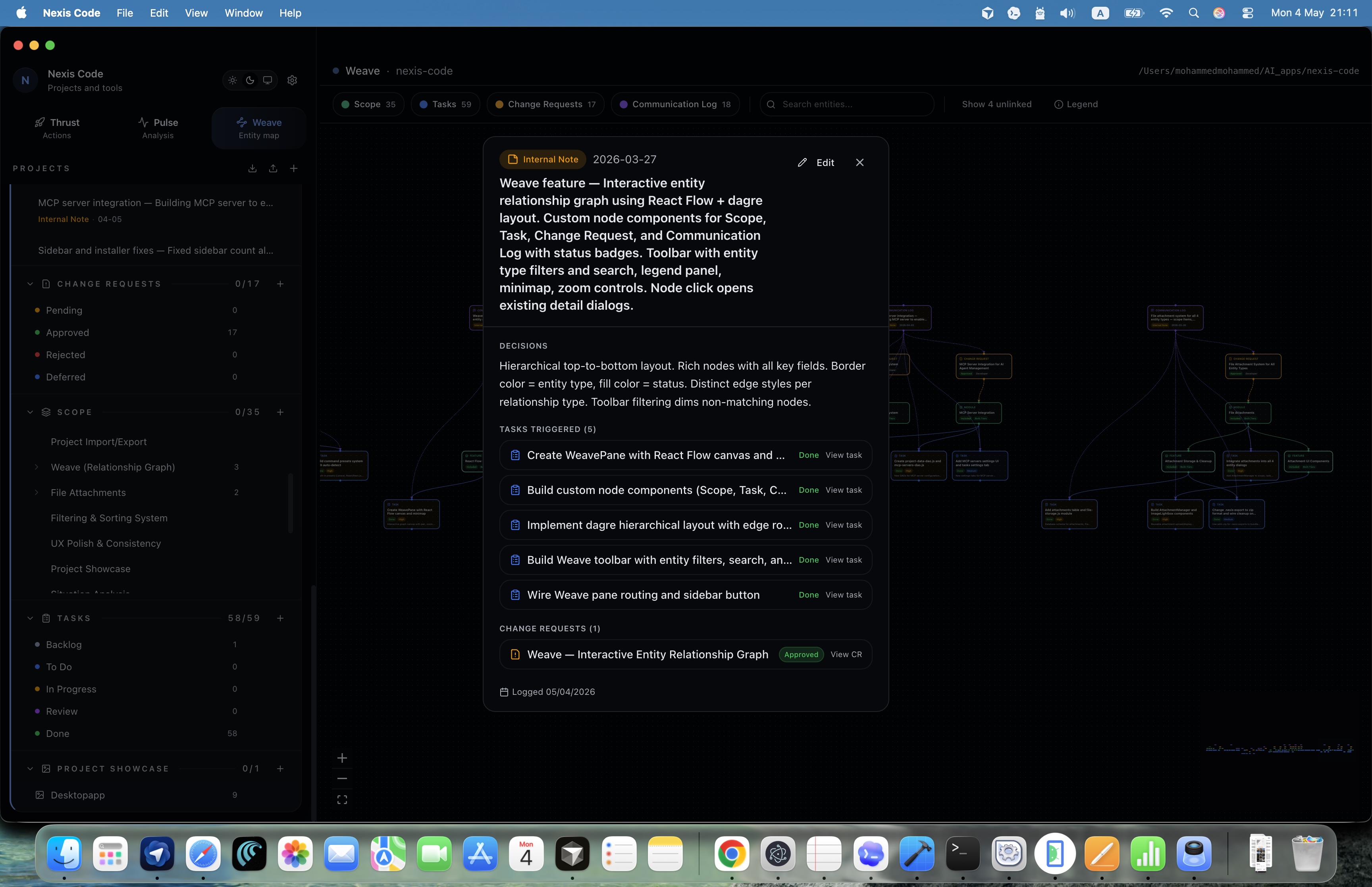
Weave graph
See how every project entity connects.
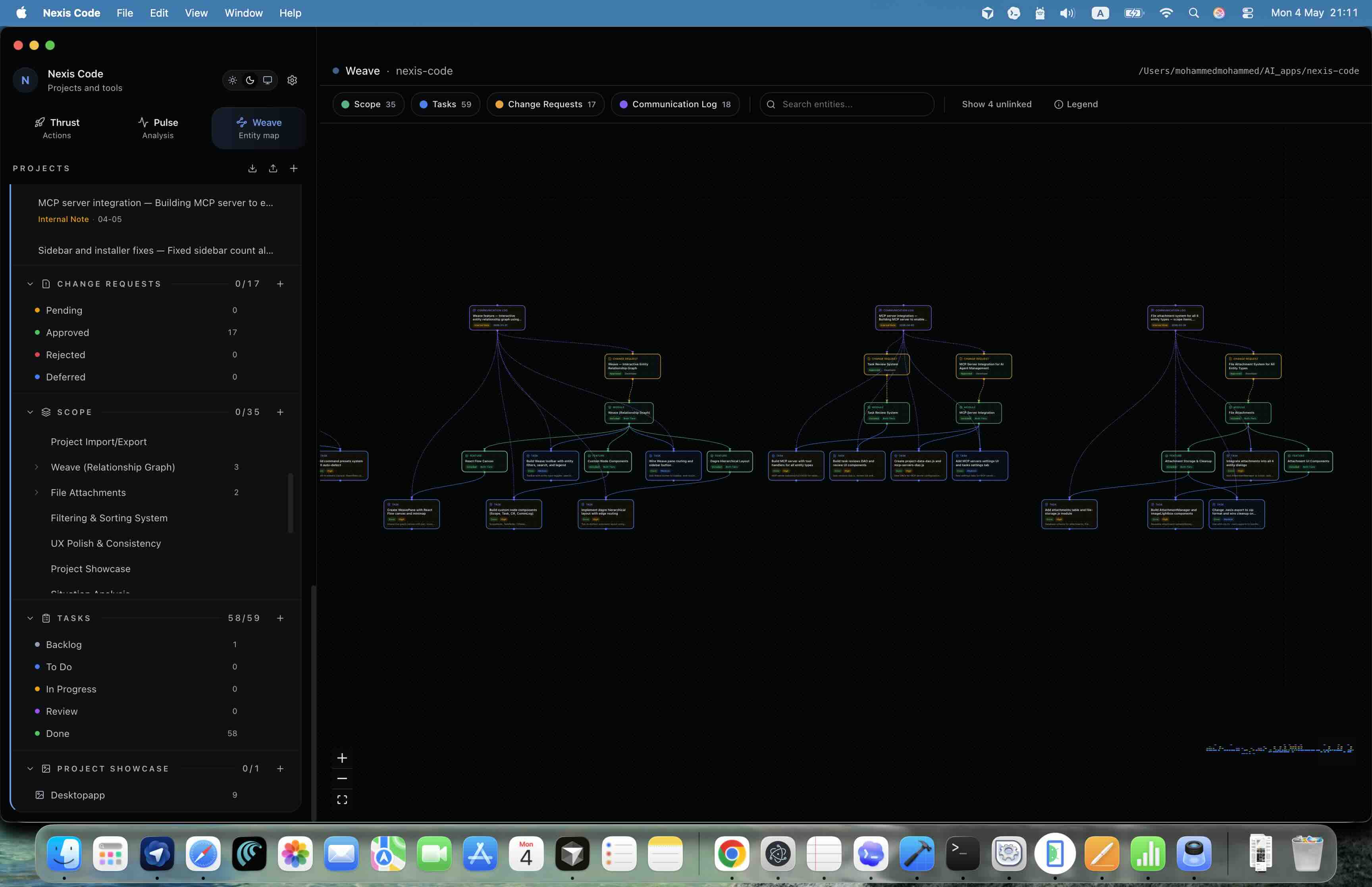
Weave maps scope, tasks, change requests, and communication logs as an interactive relationship graph, so teams can navigate the whole project from any node.
- Color-coded nodes for scope, tasks, change requests, and communication
- Search, filters, minimap, zoom controls, and detail dialogs
- Clear visual proof of which conversation led to which work
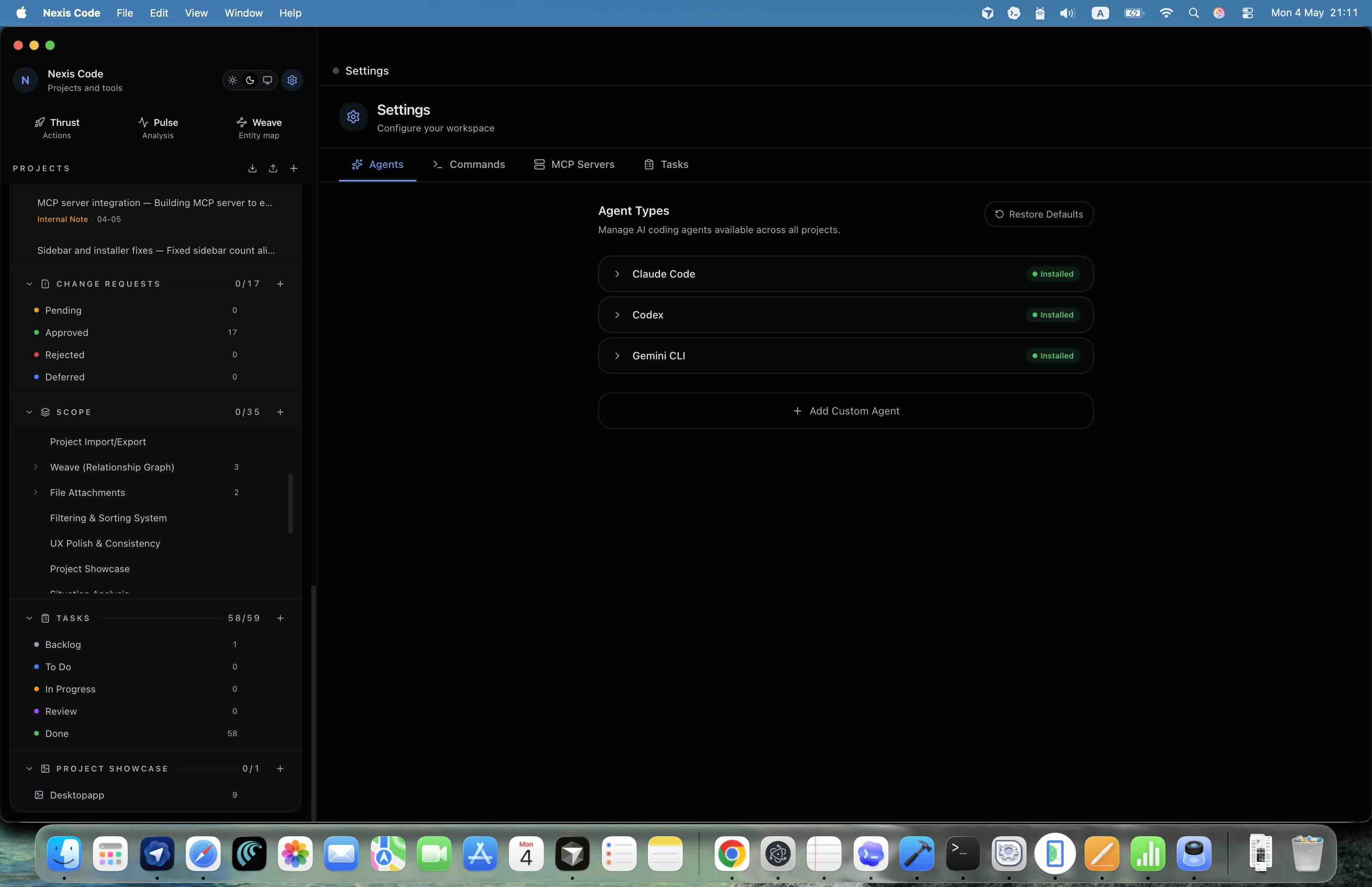
AI coding agents
Give agents the project context they normally miss.
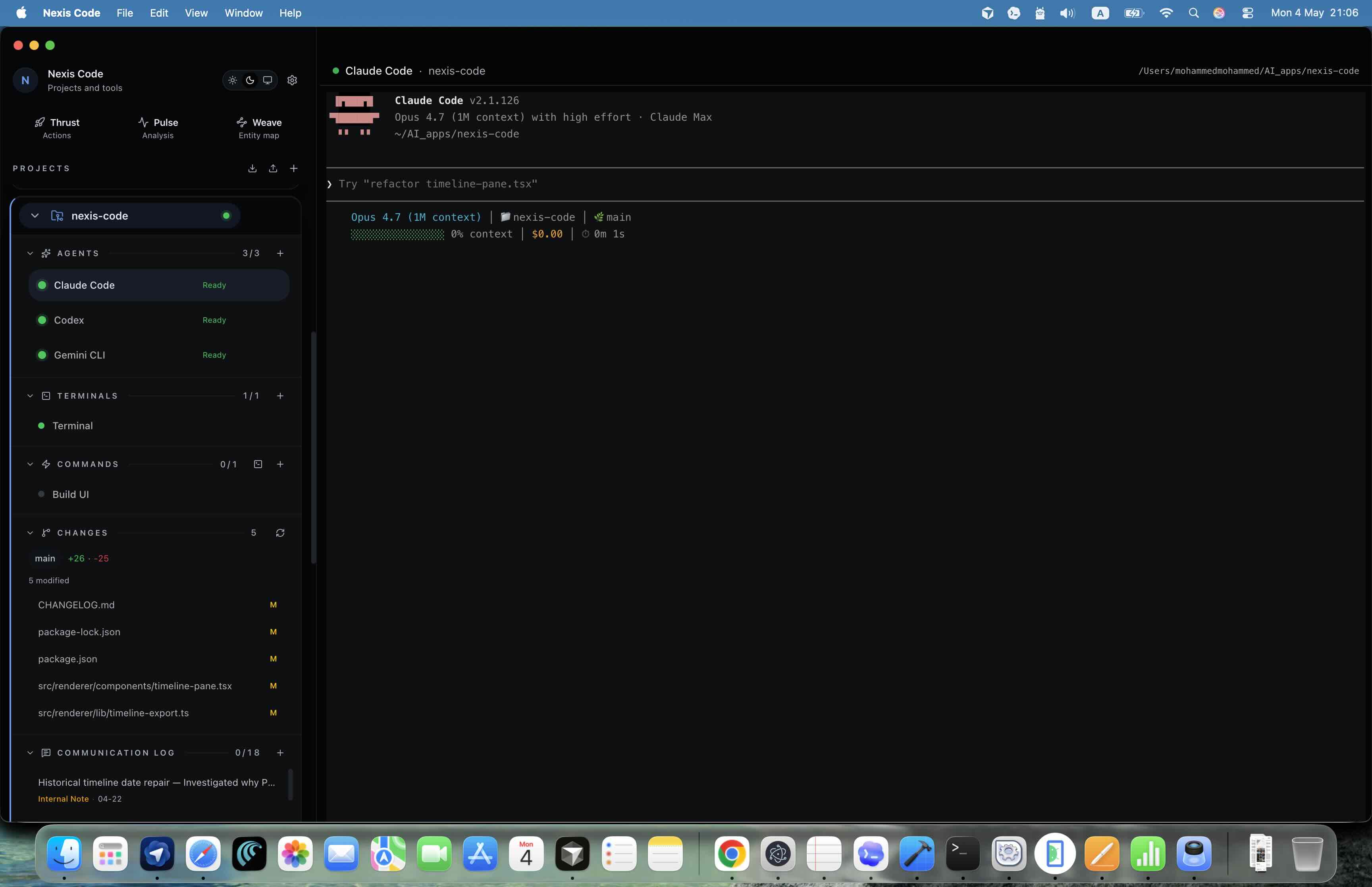
Instead of explaining the same project repeatedly, agents inside Nexis Code can operate where the scope, tasks, change requests, terminals, commands, and project files already live. After implementation, they can update the same structured data that teams usually maintain by hand.
- Built-in agent types for Codex, Claude Code, and Gemini CLI
- Multiple agent instances per project
- Project-aware handoff from task planning to code and back to the project record
Developer workspace
Keep terminals, commands, and Git changes in the same surface.
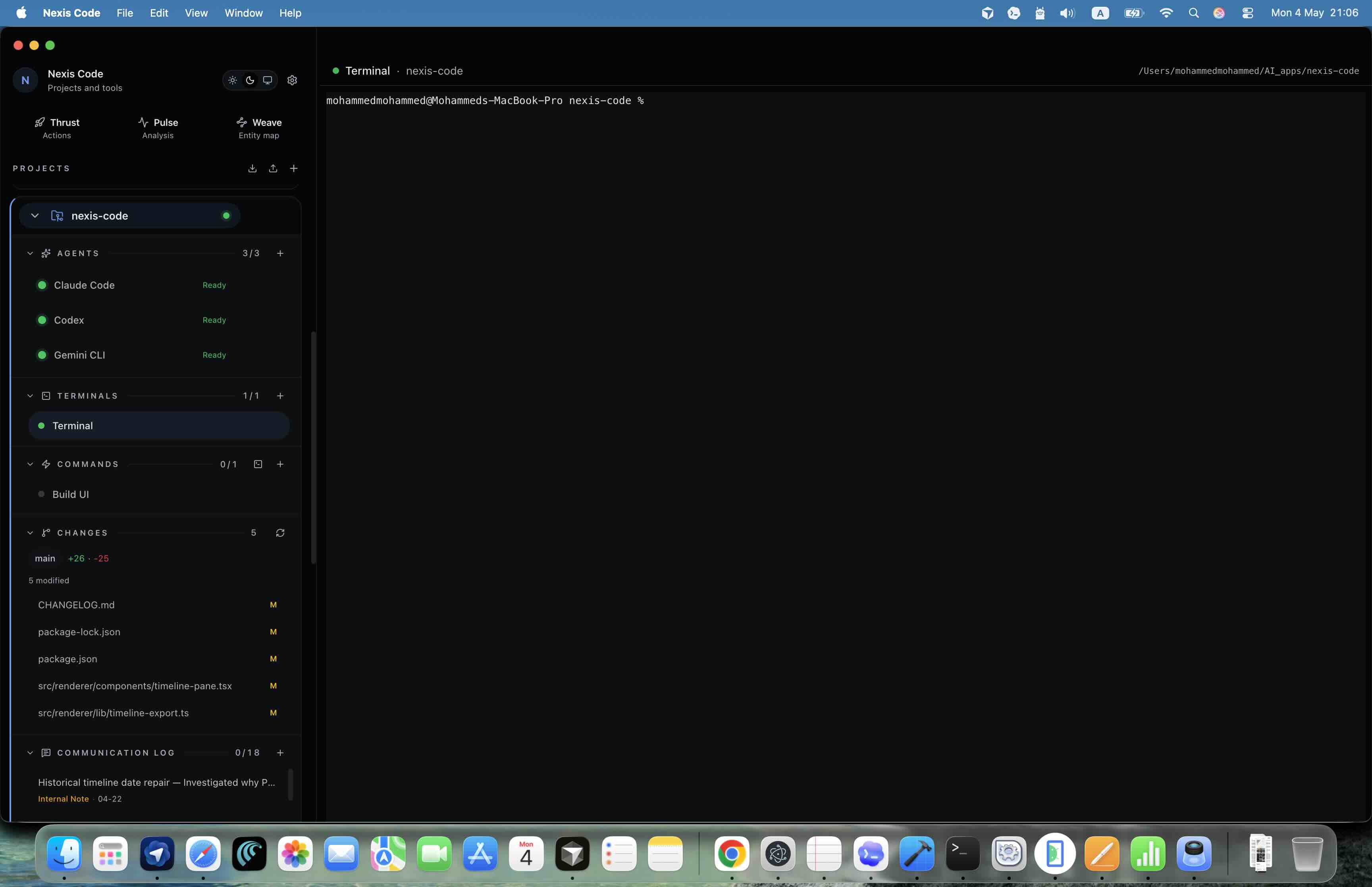
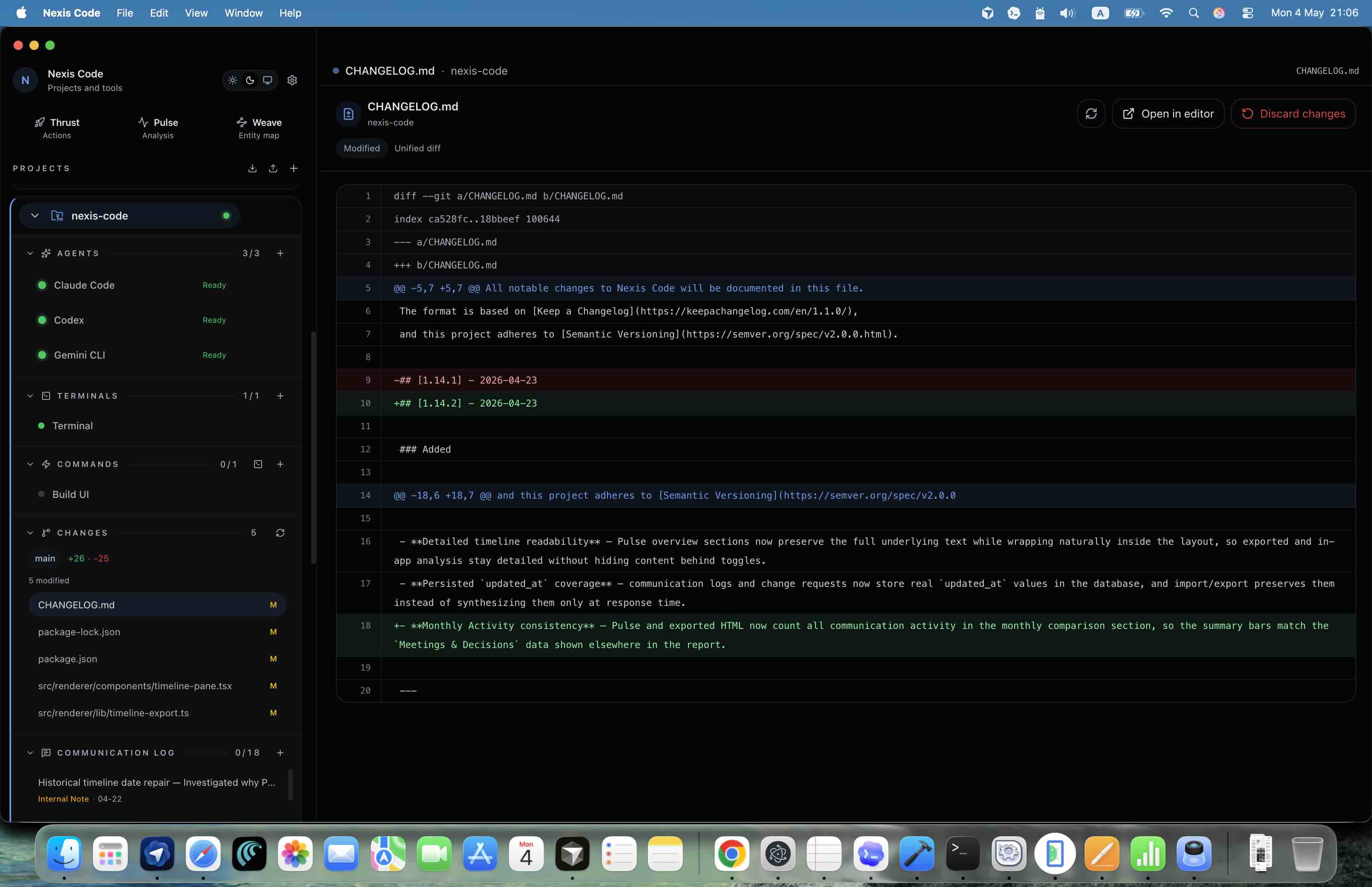
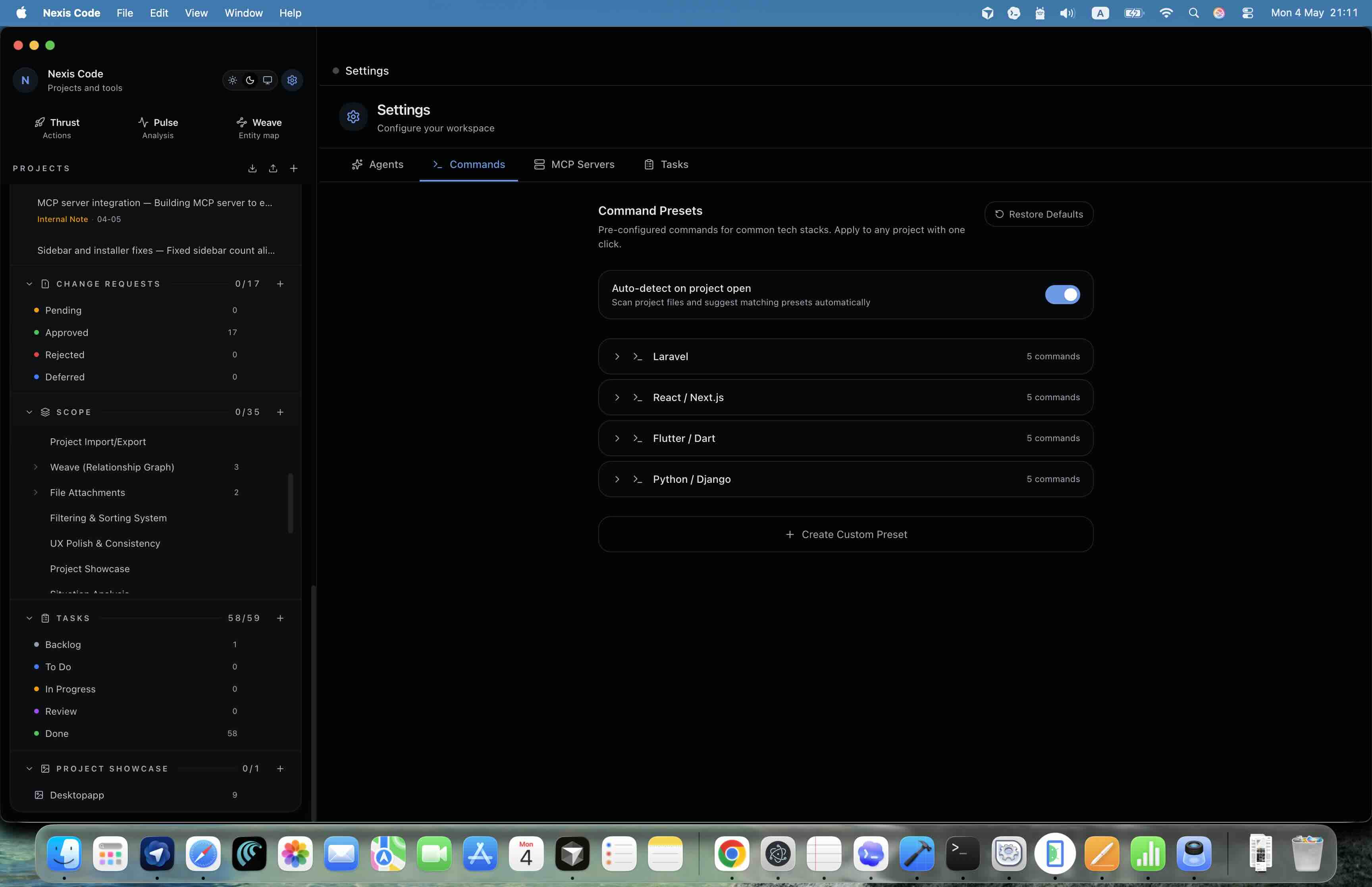
Nexis Code is still a development environment. It opens terminals, runs saved commands, tracks Git changes, and keeps project folders visible beside the planning system.
- Ad-hoc terminals and reusable project commands
- Git branch, file status, and diff visibility
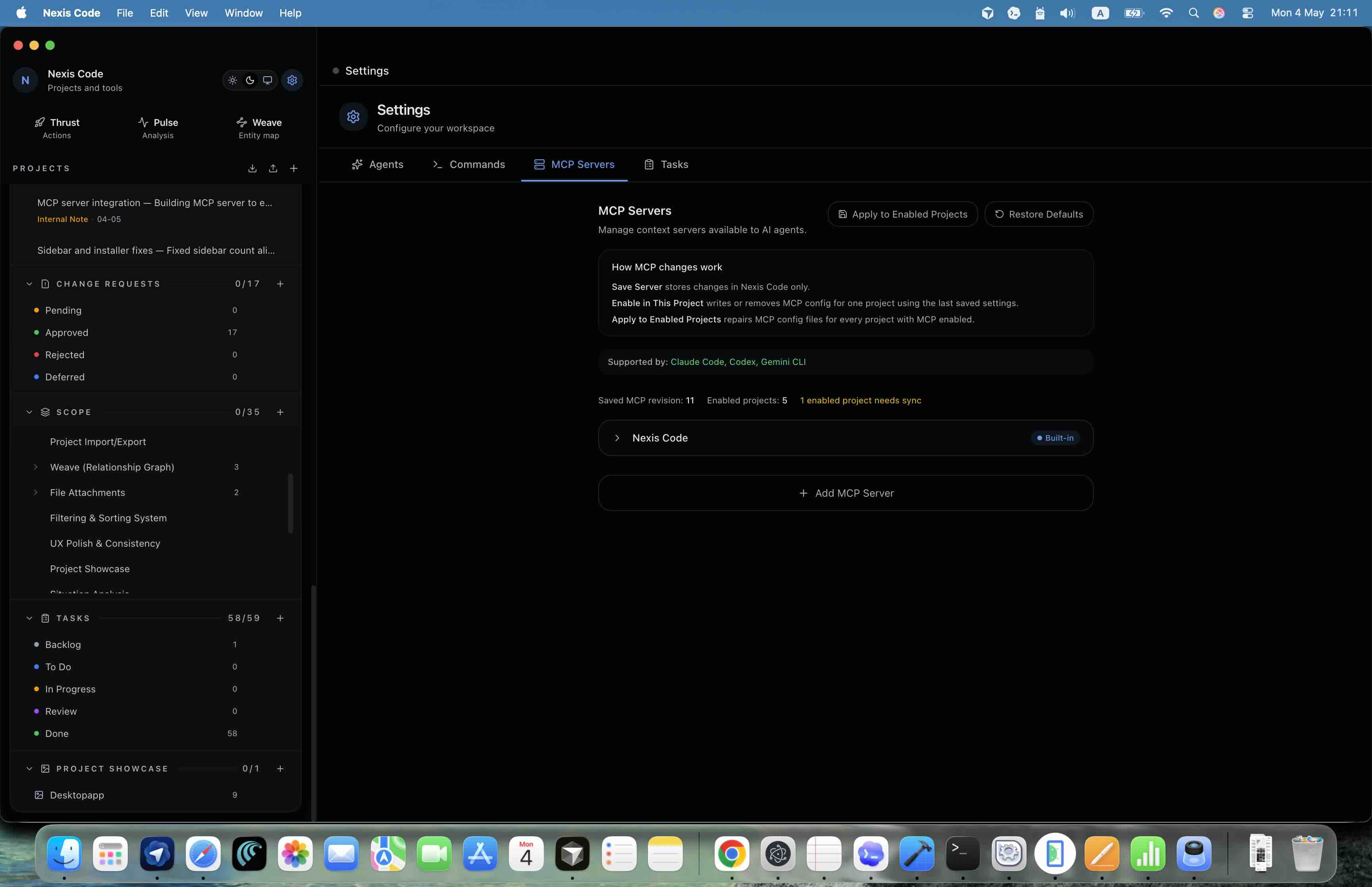
- Per-project settings for agents, commands, and MCP servers
Product screenshots
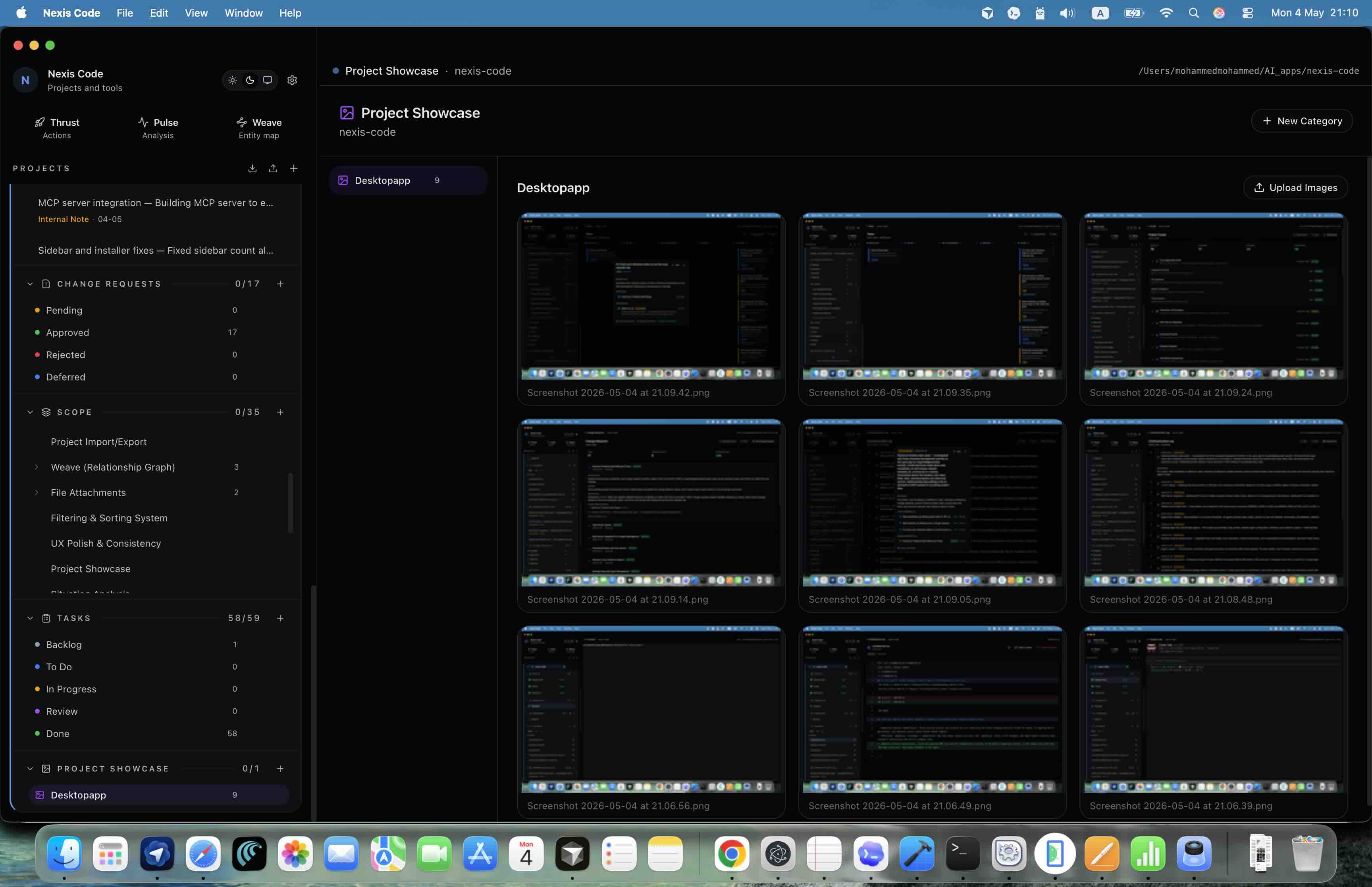
The whole workflow in one desktop app.
The interface is built around the same repeated pattern: capture context, connect it to work, and keep the proof visible as development moves forward.
Built for client software work
One chain from agreement to implementation.
Nexis Code is for developers and teams managing multiple client projects who need more than a coding agent. It connects the business record of what was agreed with the technical system that ships the work.
